
















Help center in live chat
Connect a help center to your Herodesk live chat, and visitors can search and browse your articles and FAQs in the widget before they start a conversation.
- Live chat
- Help center
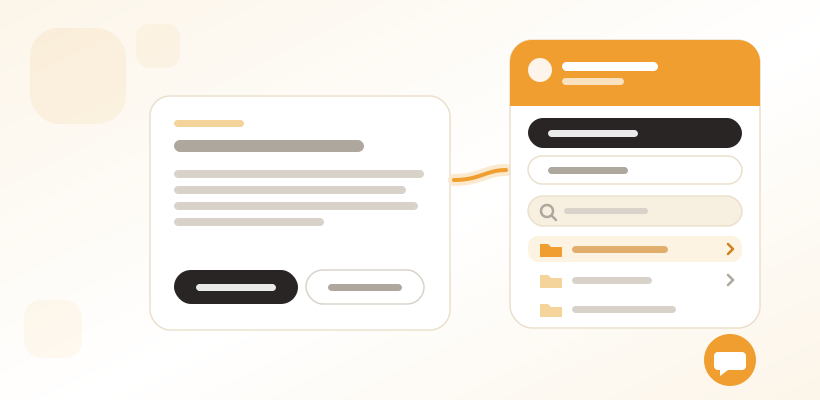
Many of the questions that land in your live chat already have an answer in your help center. The visitor just never found it, because the help center is on one page and the chat is on another. So they write, and wait, and someone on your team pastes in a link to an article you wrote months ago.
Your help center can now live inside the live chat.
Answers first, a conversation when it’s needed
Pick one of your help centers on the live chat channel, and the widget’s front page turns into a help center visitors can browse. They can search your articles and FAQs, move through your help center’s folders just as they would on the help center itself, and open an article right there in the widget. FAQs are listed as questions that open to show the answer, and breadcrumbs show where they are.
Starting a new conversation and opening previous ones stays at the top, so getting hold of your team is never more than a tap away.
Only what you’ve published, in their language
The widget shows published content only, so drafts stay drafts. Content is shown in the language closest to the visitor’s. If no help center is connected to the live chat, the widget works just as before, with the visitor’s conversations and the option to start a new one.
Link straight to an answer
Your website can open the widget directly on a specific help center article or FAQ through the live chat’s JavaScript API. That’s useful for a “How do returns work?” link on your checkout page, for example.
Where to find it
Choose the help center in your live chat channel’s settings. The help center in the widget is available from Herodesk Basic. Read more about the Herodesk live chat and the help center.
Give your team time back
Start your free trial with free VIP onboarding. Meet a product specialist online and get personal help until everything is up and running to your satisfaction.

Ken Primby
CEO · Pluspige
From a Herodesk customer
4 to 6
hours saved on cleanup after live sales
Read the customer story“Herodesk brought all our channels together, saved us several hours of manual cleanup after our live sales and gave the team a clear overview.”