
















Send later: schedule a reply, or take a few seconds back
Write a reply now and schedule it for later in Herodesk. Add a personal delay of up to 30 seconds to catch mistakes before your message is sent.
- Inbox
- Automation
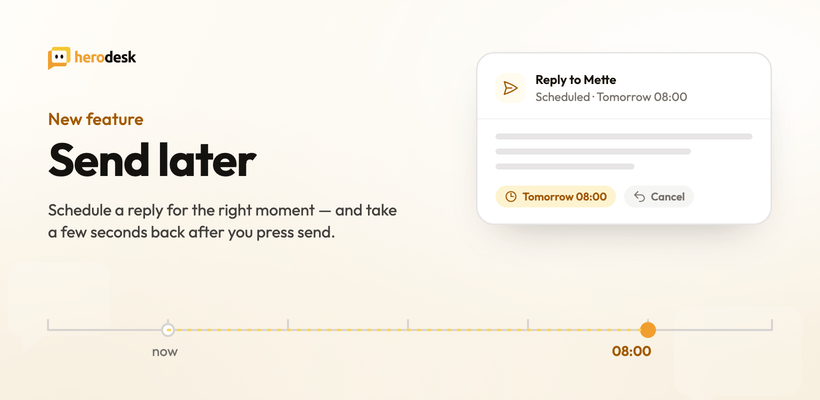
Some replies are ready before the moment for them is. The answer to a customer writing at 23:40 is finished, but sending it at 23:41 sets an expectation you can’t keep every night. The follow-up you promised “next week” is written today, while you still remember the details.
Send later is now available in Herodesk.
Schedule a reply for the right time
Give a reply a send time instead of sending it now. Herodesk holds it as scheduled and sends it at that time, whether or not you’re logged in. Until it’s picked up for sending, you can cancel it: a scheduled message is a decision you can still change.
It’s the same composer, the same signature, the same conversation. The only difference is when it leaves.
A personal undo window on ordinary replies
Separately from scheduling, each user can set a personal send delay of up to 30 seconds (5, 15 or 30) on their normal replies. Press send, and the message waits that long before it actually goes out.
That short pause is the one you want when you spot the wrong name, the missing attachment, or the sentence that reads sharper than you meant it. Cancel, fix, send again.
Everyone sets their own. If you never want the pause, leave it off.
Translation now happens in the background
Related, and easy to miss: when a message needs to be translated into the customer’s language before it goes out, the translation now runs in the background. You press send and move on to the next conversation instead of watching a spinner.
Where to find it
Send later sits in the message editor, next to the send button. The personal send delay is in your own user settings, so it applies to you and not to your colleagues.
Send later is available on Herodesk Plus. Read more on the Send later feature page.
Give your team time back
Start your free trial with free VIP onboarding. Meet a product specialist online and get personal help until everything is up and running to your satisfaction.

Ken Primby
CEO · Pluspige
From a Herodesk customer
4 to 6
hours saved on cleanup after live sales
Read the customer story“Herodesk brought all our channels together, saved us several hours of manual cleanup after our live sales and gave the team a clear overview.”