
















Add people CC and BCC
Include the right people in customer conversations with CC and BCC in Herodesk. Add email recipients while keeping the conversation and its replies together.
- Channels
- Inbox
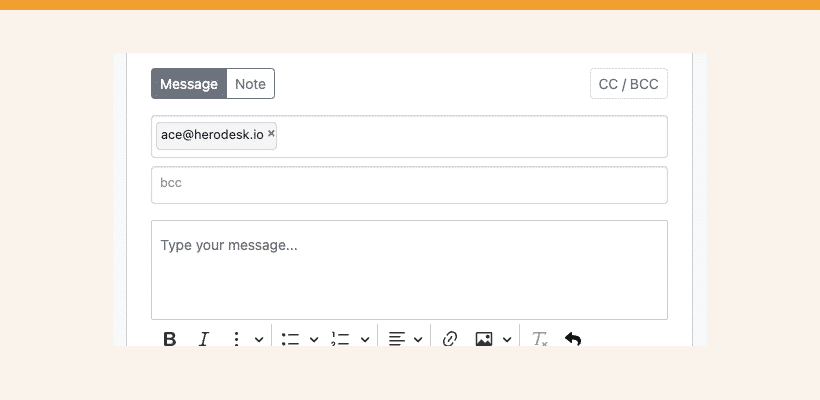
This is how it works…
When you are writing a message to a contact, two new fields are available: cc and bcc. E-mail addresses added to these fields will receive a copy of your message as either “cc” or “bcc” accordingly.
One important thing to mention here is that e-mail addresses added as cc/bcc will receive a full copy of the entire conversation, including all sent/received messages in it and also all previously attached files.
When you receive a message with someone added as “cc”, they’ll automatically be put on “cc” when you write a reply (you can, of course, remove them if you want to).
This feature is only supported on conversations sent via e-mail. We’re still working on adding more channels, such as Facebook/Instagram Messenger, WhatsApp, etc., but since they don’t support the concept of cc/bcc, this feature doesn’t apply to them.
Oh, and one more thing… You can now set a custom sender name for each inbox. Go to Settings -> Inboxes and edit one; you’ll see a field like the one below:
Use the merge fields to customise it for each of your users or inboxes. It is a perfect way to separate replies from different teams, brands or personalize them if you want to.
Give your team time back
Start your free trial with free VIP onboarding. Meet a product specialist online and get personal help until everything is up and running to your satisfaction.

Ken Primby
CEO · Pluspige
From a Herodesk customer
4 to 6
hours saved on cleanup after live sales
Read the customer story“Herodesk brought all our channels together, saved us several hours of manual cleanup after our live sales and gave the team a clear overview.”