
















Quick replies
Save answers to common questions as quick replies in Herodesk. Add a reusable response, adapt it for the customer and spend less time writing it again.
- Inbox
- Automation
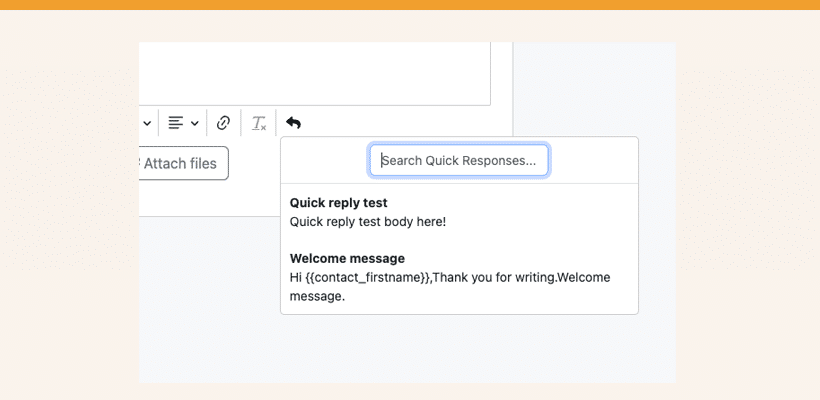
One of our promises is to make our helpdesk system as straightforward as possible while still focusing 100% on the job to be done. In order to help you do that, we’ve released a new feature called Quick Replies.
From time to time, your customers will contact you with somewhat similar questions. To make it easy for you and your colleagues to handle them quickly, you can now record “Quick Replies” (also known as “Canned Responses”, “Macros”, etc.) to quickly reply using a template.
The main features of this new release are:
- Create Quick replies that are available to either everyone on your team or just yourself
- Replace variables such as {{contact_firstname}}
- Use built-in keyboard shortcuts to work at light speed (CMD + E for Mac, Ctrl + E for Windows).
All Herodesk Free and Herodesk Plus customers can create unlimited amounts of quick replies for free.
It’s a great way for you and your team to supercharge your productivity while still giving your customers great service.
Go to Settings -> Quick Replies to create your first quick reply now.
Give your team time back
Start your free trial with free VIP onboarding. Meet a product specialist online and get personal help until everything is up and running to your satisfaction.

Ken Primby
CEO · Pluspige
From a Herodesk customer
4 to 6
hours saved on cleanup after live sales
Read the customer story“Herodesk brought all our channels together, saved us several hours of manual cleanup after our live sales and gave the team a clear overview.”