
















New integration: HubSpot
Connect HubSpot with Herodesk to see CRM contacts, companies, deals and tasks beside customer conversations. Give your team context for faster replies.
- Integrations
- AI Agents
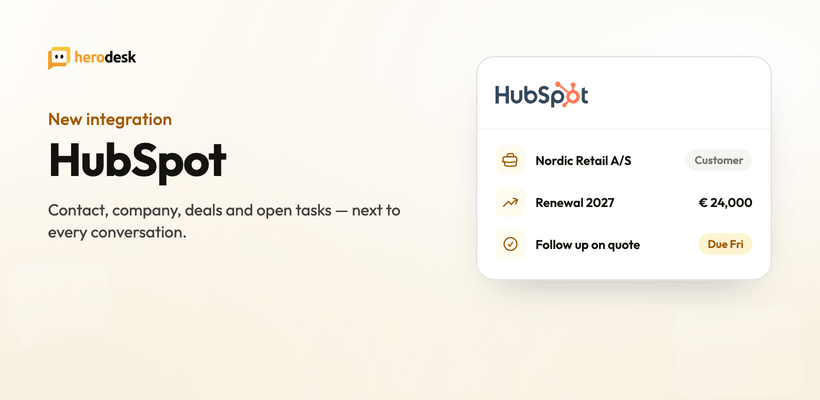
Support and sales usually look at the same customer through two different windows. Today we’re closing one of them: Herodesk now integrates with HubSpot.
The CRM record, next to the question
Herodesk matches the conversation’s email address to the HubSpot contact and pulls the record in automatically. In the sidebar you get the contact’s name, email, phone and lifecycle stage, the company they belong to, every associated deal with its stage, amount and close date, and their open tasks with due dates.
That changes how a reply reads. A three-line question from a contact with a deal in negotiation is not the same question as one from a lead who signed up yesterday. Now you can tell the difference before you start typing.
Keep contacts and companies in sync
Contact and company information can flow from HubSpot into Herodesk and stay up to date automatically, so support always works from the same account details as sales. No manual copying, no drift between systems.
Anyone can install the HubSpot widget on any Herodesk plan. Setting up contact and company sync is available on Herodesk Plus and Pro.
Let your AI agent handle it
The integration works with Herodesk’s AI agent as well. Autopilot can look up the customer’s HubSpot contact and company, list their deals and tasks, log a note on the record, and create a follow-up task, so the CRM stays current even on conversations no human touched.
Two further actions (moving a deal to another stage and creating a deal) are supported but off by default per agent, so you decide which agents are allowed to change your pipeline.
Who is this for?
If you run sales in HubSpot and support in Herodesk, this integration was built for you, and especially for teams where the same person does both.
Connect it under Settings -> Widgets. It takes a couple of minutes, and every contact is looked up automatically from then on.
Read more on the HubSpot integration page, or see the full list on our integrations page.
Give your team time back
Start your free trial with free VIP onboarding. Meet a product specialist online and get personal help until everything is up and running to your satisfaction.

Ken Primby
CEO · Pluspige
From a Herodesk customer
4 to 6
hours saved on cleanup after live sales
Read the customer story“Herodesk brought all our channels together, saved us several hours of manual cleanup after our live sales and gave the team a clear overview.”