
















Introducing: Help Centers
Create a Herodesk Help Center with support articles and FAQs. Give customers a searchable source of answers to use before contacting your team.
- Help center
- AI Agents
- Live chat
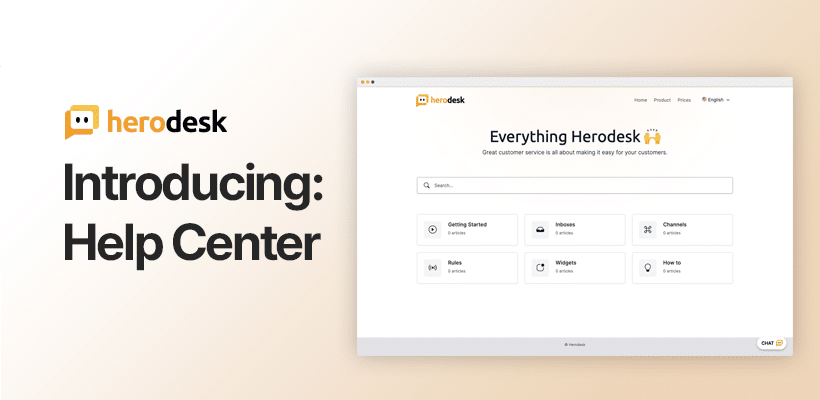
It lets you have all guides, FAQs and other articles, that can help your customers, in one central place. It’s a great way for customers to find all the information they need without having to ask for personal support first. This is an approach that many customers prefer!
The new Herodesk Help center is designed for just that purpose. It’s built with simplicity in mind, making it easy for you to create and maintain your support articles and faqs.
Let’s quickly run through some of the most significant features of the new Help center.
Multiple help centers
You can create multiple help centers that work 100% independently from each other.
For each help center, you can do:
- Custom domain name, fx help.herodesk.io, including free SSL certificate
- Custom styling of look & feel
- Choose if it should be publicly available, password protected and/or IP access restricted. This means you can use help centers for publicly available content, for some that should only be available for some customers, or for internal documentation
- Set its primary language and decide any additional languages the content should be available in
In addition, you can easily add your Herodesk live chat to your help centers, and customize look and feel, menues, etc.
We’ve put in a lot of effort to ensure that when you use our Help centres, it matches your business look & feel.
Multiple folders, articles and FAQs
In each of your help centers, you can create as many folders and nested folders as you need to neatly organize your support content.
Inside each folder, you can add as many long-form articles or FAQs as you need.
FAQs are text-based only, while articles can contain text, images, videos, etc…
Built-in automatic translations
Using AI, Herodesk can automatically translate all your articles and FAQs from the primary language of your Help center to all the other available languages you’ve selected, with just one click.
For example, suppose you have English as your primary language but also enable German, French, and Italian on your help centre. In that case, Herodesk automatically translates your English article into German, French, and Italian.
A foundation for the future…
Help centers are in themselves very useful for you and your customers. However, we’re also looking forward to how they can be used in the future.
The articles and FAQs will be one of the data sources of training material that our future AI Agents will use to get specific knowledge about you and your business.
In addition, we will be adding more features to the help centers, such as article rating and feedback, AI-generated content suggestions based on recent customer conversations, etc.
The new help centers are live now and available to all Herodesk customers.
Give your team time back
Start your free trial with free VIP onboarding. Meet a product specialist online and get personal help until everything is up and running to your satisfaction.

Ken Primby
CEO · Pluspige
From a Herodesk customer
4 to 6
hours saved on cleanup after live sales
Read the customer story“Herodesk brought all our channels together, saved us several hours of manual cleanup after our live sales and gave the team a clear overview.”