
















Group Update Conversations
Select several conversations and update them together in Herodesk. Bulk actions help your team manage a growing inbox without repeating each task.
- Inbox
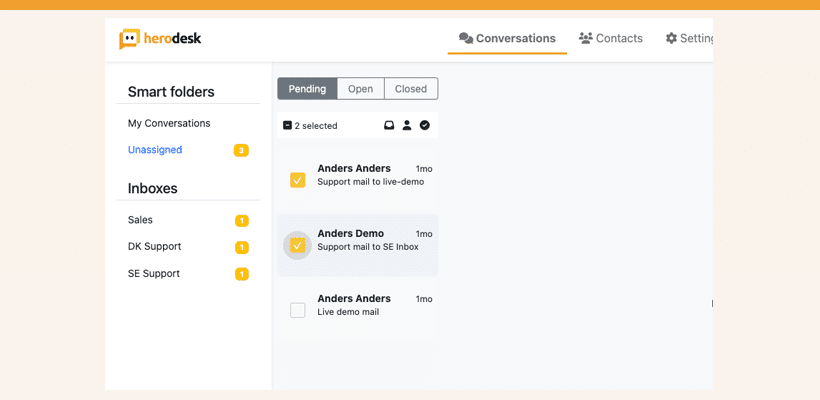
When you open your computer in the morning and have a bunch of conversations waiting for you, sometimes you need to change the status, inbox or assignee of several of them at once.
To make this easier, we’ve implemented a new feature to group update conversations. Simply select all the conversations you want to update in the conversations list and update them.
Here’s how it works:
The aim of this feature is to make it easier for you to manage multiple conversations at the same time and ultimately make your customer support more efficient.
This new feature is published to all Herodesk accounts and is ready for you to use.
If you have any questions or feedback, please contact us and let us know ?
Give your team time back
Start your free trial with free VIP onboarding. Meet a product specialist online and get personal help until everything is up and running to your satisfaction.

Ken Primby
CEO · Pluspige
From a Herodesk customer
4 to 6
hours saved on cleanup after live sales
Read the customer story“Herodesk brought all our channels together, saved us several hours of manual cleanup after our live sales and gave the team a clear overview.”