
















Add your signature to your messages
Create an email signature in Herodesk and have it added automatically to outgoing messages. Keep your name and contact details consistent in every reply.
- Inbox
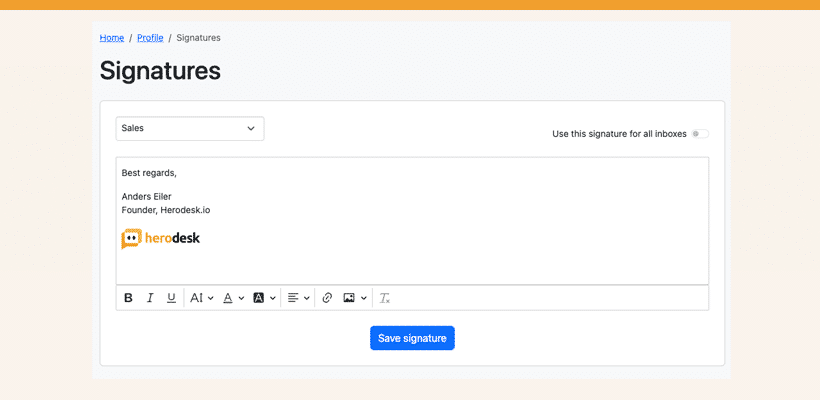
The new signature feature works in two ways:
One global signature
Create one signature that will be appended to all messages you send, regardless of which inbox the conversation is in.
One signature per inbox
Create one signature for each of your inboxes. Herodesk automatically detects which inbox a conversation is in and adds the corresponding signature that matches.
We’re already seeing how our users use inboxes in many different ways. Some are using them for different teams. Others for different languages. And some even for different brands. The fact that inboxes can be used in many ways makes this feature super powerful, as you get full flexibility always to have a signature matching the context from which you’re writing your message.
Each user can set and manage their own personal signature(s). Go to Profile -> Signatures to get started.
Signatures are automatically appended to outgoing e-mails. That means they won’t be visible inside Herodesk. We’ve chosen to do it this way to not clutter the conversation view with repetitive and unnecessary information. But don’t worry: the recipient will see them just fine! 😉
Give your team time back
Start your free trial with free VIP onboarding. Meet a product specialist online and get personal help until everything is up and running to your satisfaction.

Ken Primby
CEO · Pluspige
From a Herodesk customer
4 to 6
hours saved on cleanup after live sales
Read the customer story“Herodesk brought all our channels together, saved us several hours of manual cleanup after our live sales and gave the team a clear overview.”