
















Uni-tel integration

Know who is calling. Help from the first hello.
Bring your Uni-tel calls into Herodesk. Recognise existing contacts when the phone rings, control the call and reach customers with one click.
Free VIP onboarding included for every customer.
See all integrations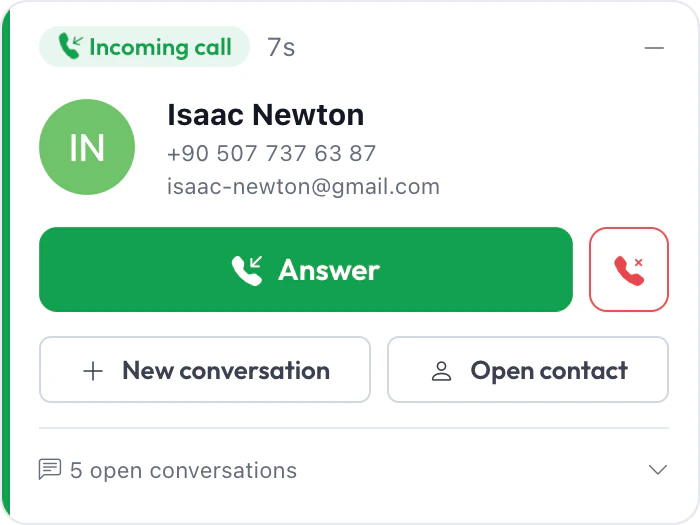
Phone support with One-Connect
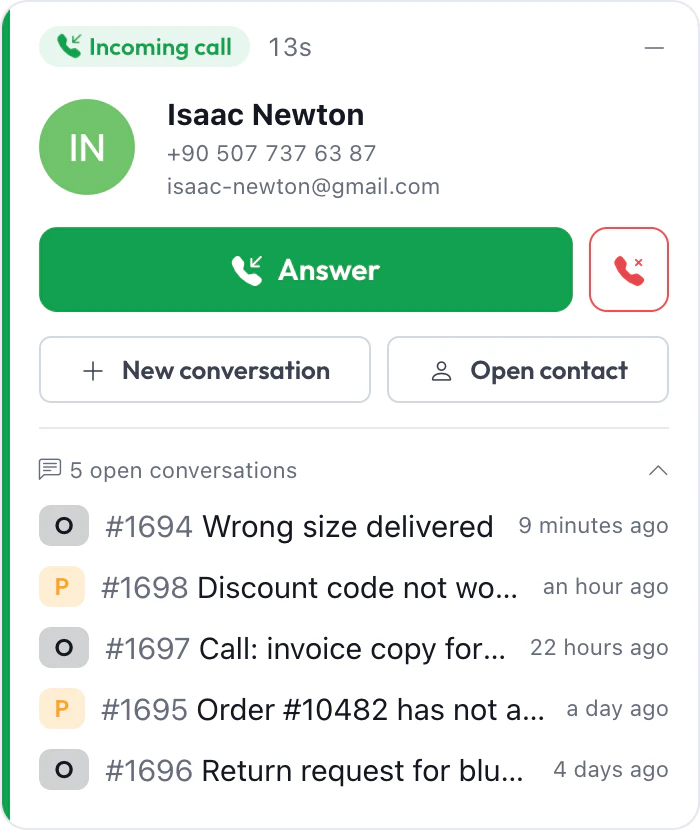
See the caller and their open conversations before you answer
Connect your Uni-tel One-Connect phone system to the place your team already works. Incoming calls appear as notifications, matched to the contact when the number is known.
- Recognise the caller.
- See the contact matched to an incoming number, so you can greet a returning customer by name.
- Know what is still open.
- Expand the call to list the caller’s open conversations, with their status and when each was last updated.
- Act from the call.
- Answer, reject or hang up from Herodesk. Start a new conversation or open the contact straight from the notification.
Uni-tel in action
Follow a call from the first ring to the call back
A recording from Herodesk. Answer a call and keep it with you as you move between pages, dial out from a contact or a conversation, and return a missed call in one click.
Recorded in Herodesk with sample contacts. The video has no sound.
Set up for your team
Connect your phones to the people using them
Map your One-Connect extensions to Herodesk users so each teammate has the right call notifications and an extension to dial from.
- Incoming-call notifications
- See calls arrive in Herodesk with the caller matched to an existing contact and their open conversations one click away.
- Call controls
- Answer, reject and hang up calls directly from Herodesk, and start a new conversation while you talk.
- One-click dialling
- Call a contact from their contact page or from a conversation, using your selected outgoing extension.
- Missed calls you can return
- A missed-call notification comes with a button to call back, so you can return the call in one click.
- Extension mapping
- Assign your phone extensions to Herodesk users and choose each user’s outgoing extension. Extensions found on your phone system appear, ready to map.
- People on the phone
- This integration handles live phone calls for your team. AI agents do not answer or take part in Uni-tel calls.
Give your team time back
Start your free trial with free VIP onboarding. Meet a product specialist online and get personal help until everything is up and running to your satisfaction.

Ken Primby
CEO · Pluspige
From a Herodesk customer
4 to 6
hours saved on cleanup after live sales
Read the customer story“Herodesk brought all our channels together, saved us several hours of manual cleanup after our live sales and gave the team a clear overview.”